
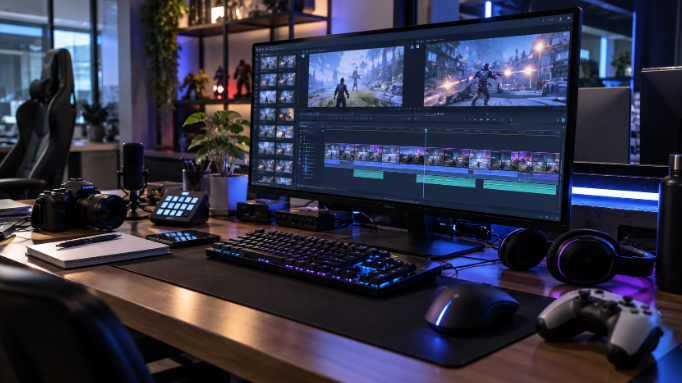
A single ranked match can produce a dozen clip-worthy moments. A full tournament broadcast can produce hundreds. Finding, cutting, and polishing them by hand eats the hours you should spend playing or growing your channel.
AI tools now handle most of that grind. Some scan your VODs for kills and clutches, while others record locally or rebuild plays from demo files.
This guide compares five tools that cover the full highlight pipeline. You will see what each does best, what it costs, and who should use it.
Top esports highlight tools at a glance
Magic Hour is the most versatile creative suite for polishing and stylizing clips. Eklipse is the strongest pick for streamers who want VODs clipped automatically. OpusClip suits creators turning long commentary or broadcasts into shorts.
Allstar rebuilds CS2, League of Legends, and Fortnite plays from game data with zero FPS cost. Medal is the go-to free recorder for PC players who clip with a hotkey.
| Platform | Starting Price | Best For | Key Differentiator | Free Trial |
| Magic Hour | $10/month (Creator) | Polishing and stylizing reels | All-in-one AI video, captions, and effects | Free plan with 400 credits |
| Eklipse | $24.99/month (Premium) | Streamers with long VODs | Game-aware highlight detection | Free plan |
| OpusClip | $15/month (Starter) | Commentary and broadcast clips | Virality scoring on long-form video | Free plan with 60 credits |
| Allstar | Free; paid tiers available | CS2, LoL, and Fortnite players | Clips rendered from match data | Free plan |
| Medal | $9.99/month (Premium) | PC players clipping on the fly | Hotkey capture with instant sharing | Free plan |
1. Magic Hour: The all-in-one creative finisher
Magic Hour is a browser-based AI suite for generating and editing video, images, and audio. It launched in 2023 as a Y Combinator-backed company.
For esports creators, it works as the finishing layer of a highlight reel. Auto-clippers find your moments. Magic Hour helps turn them into something people actually stop scrolling for.
Where it fits in your workflow
The auto subtitle generator captions clips in multiple languages, which matters because most short-form viewing happens on mute. Video-to-video style transfer can restyle a clutch round in anime, cyberpunk, or other looks.
Image-to-video and text-to-video help you build team intros, player reveals, and animated thumbnails. Face swap and lip sync power meme edits and reaction content. The library of more than 10,000 templates speeds up recurring formats.
What it costs
Magic Hour uses credits, and every plan unlocks every tool. The free Basic plan includes 400 one-time credits, 720p output, and watermarks. Creator costs $10 per month with 1080p, no watermark, and a commercial license.
Pro costs $30 per month and adds priority processing. Business costs $66 per month with 4K output, API access, and team collaboration. Credits do not roll over, so check the current pricing page before committing.
Strengths and gaps
Its biggest strength is breadth: captions, effects, generation, and editing live in one subscription. Commercial rights on every paid tier make it safe for sponsored team content.
It does not scan full VODs for kills, so pair it with a dedicated clipper for detection. Generation time also varies from seconds to several minutes on complex jobs.
Who it’s for
Magic Hour holds a 4.9 out of 5 rating on Product Hunt. It fits content creators, social editors, and small teams that want polished, stylized esports content.
2. Eklipse: The streamer’s autopilot
Eklipse is a cloud-based AI clipper built specifically for gaming streams. It connects to Twitch, YouTube, Facebook, and Kick. After your broadcast, it scans the whole VOD and surfaces highlights.
Where it fits in your workflow
Its detection reads the game itself, not just your microphone. It catches kills, clutches, wins, and round results from on-screen graphics. It also scores audio spikes like shouting and laughter.
Clips land in vertical format with editable captions for TikTok, Reels, and Shorts. Processing runs in the cloud, so your PC stays free during play.
What it costs
The free plan allows 15 clips per stream at 720p. Premium costs $24.99 per month, or $179.99 per year billed annually. Polished Pro Edits cost extra per edit.
Strengths and gaps
Game-aware detection means quiet plays still get caught. Batch processing handles long weekend broadcasts. Some users report slow processing and inconsistent support response times.
Who it’s for
Eklipse suits active streamers who broadcast often and hate scrubbing VODs. It is less useful if you never stream your gameplay.
3. OpusClip: Best for commentary and broadcast clips
OpusClip is a general AI repurposing tool rather than a gaming specialist. It takes long videos and extracts short clips ranked by predicted engagement. For esports, it works best on casting, analysis, podcasts, and talk-heavy streams.
Where it fits in your workflow
The virality score ranks which moments are most likely to perform. Animated captions, reframing, and AI B-roll come built in.
What it costs
The free plan gives 60 credits monthly, with watermarks and three-day storage. Starter costs $15 per month for 150 credits. Pro costs $29 per month, or $174 billed annually.
Strengths and gaps
Its clip picks are strong for speech-driven content. However, Starter locks most editing behind Pro. Reviewers suggest expecting to discard a meaningful share of generated clips.
Who it’s for
OpusClip fits casters, esports podcasters, and analysts publishing long-form content weekly. Pure gameplay creators should look at Eklipse or Allstar first.
4. Allstar: Zero-impact clips for competitive titles
Allstar takes a unique approach. Instead of recording your screen, it rebuilds highlights in the cloud from match data. That means no performance hit during competitive play.
Where it fits in your workflow
Allstar supports CS2, League of Legends, and Fortnite. Autocapture can save your best moments after every match. In CS2, typing a chat command clips the round without using your limit.
Subscribers get cinematic effects like player follow cams and a final kill cam.
What it costs
Allstar offers a free plan plus paid Standard and Unlimited tiers. Check the official site for current pricing, since tiers change often.
Strengths and gaps
Zero FPS impact is a real edge for competitive players. The cinematic camera options look closer to broadcast replays. The game library is small, and CS2 clips can take around 30 minutes to appear.
Who it’s for
Allstar fits CS2, League, and Fortnite grinders who want broadcast-style replays without touching performance.
5. Medal: The free recorder PC players love
Medal is a free clip recorder for PC and mobile. It runs in the background and saves your last moments when you press a hotkey. Event detection covers Fortnite, Valorant, League, Apex Legends, and Counter-Strike.
Where it fits in your workflow
Medal captures play you never stream, including solo sessions. Sharing is instant through links for Discord and social media.
What it costs
The core app is free. Premium costs $9.99 per month, or $7.99 per month billed annually. As of June 2026, it includes unlimited uploads, original-quality clips, and auto subtitles.
Strengths and gaps
It is free, lightweight, and works with nearly any game. However, it records locally and does not process Twitch or Kick VODs.
Who it’s for
Medal suits PC players who clip moments as they happen and share with friends first.
Quick answers
Why use AI instead of editing highlights manually? Manual editing often takes several times the length of the original stream. AI tools compress that into minutes, freeing you to play and post more.
Do I need more than one tool? Often, yes. A capture tool finds your moments, while a creative suite like Magic Hour makes them stand out.
Which tools avoid watermarks for free? Most free plans watermark exports. Medal’s locally captured clips are an exception, but polished branded output usually needs a paid plan.
Can I monetize AI-edited highlights? Usually, if you hold the right license and follow platform rules. Magic Hour includes a commercial license on every paid plan, which helps with sponsored team content.
The bottom line
If your reels need captions, stylized edits, and scroll-stopping intros, start with Magic Hour. It covers the creative finish better than any single tool here.
Streamers should add Eklipse for automatic VOD clipping. Casters and analysts will get more from OpusClip.
Competitive CS2, League, and Fortnite players should try Allstar for zero-impact replays. Casual PC players can start free with Medal. Ready to make your highlights look pro? Try Magic Hour’s free plan today and see what your best plays look like polished.
 Colette Hobbstark has opinions about multiplayer strategy insights. Informed ones, backed by real experience — but opinions nonetheless, and they doesn't try to disguise them as neutral observation. They thinks a lot of what gets written about Multiplayer Strategy Insights, Game Engine Optimization Tactics, Uncategorized is either too cautious to be useful or too confident to be credible, and they's work tends to sit deliberately in the space between those two failure modes.
Reading Colette's pieces, you get the sense of someone who has thought about this stuff seriously and arrived at actual conclusions — not just collected a range of perspectives and declined to pick one. That can be uncomfortable when they lands on something you disagree with. It's also why the writing is worth engaging with. Colette isn't interested in telling people what they want to hear. They is interested in telling them what they actually thinks, with enough reasoning behind it that you can push back if you want to. That kind of intellectual honesty is rarer than it should be.
What Colette is best at is the moment when a familiar topic reveals something unexpected — when the conventional wisdom turns out to be slightly off, or when a small shift in framing changes everything. They finds those moments consistently, which is why they's work tends to generate real discussion rather than just passive agreement.
Colette Hobbstark has opinions about multiplayer strategy insights. Informed ones, backed by real experience — but opinions nonetheless, and they doesn't try to disguise them as neutral observation. They thinks a lot of what gets written about Multiplayer Strategy Insights, Game Engine Optimization Tactics, Uncategorized is either too cautious to be useful or too confident to be credible, and they's work tends to sit deliberately in the space between those two failure modes.
Reading Colette's pieces, you get the sense of someone who has thought about this stuff seriously and arrived at actual conclusions — not just collected a range of perspectives and declined to pick one. That can be uncomfortable when they lands on something you disagree with. It's also why the writing is worth engaging with. Colette isn't interested in telling people what they want to hear. They is interested in telling them what they actually thinks, with enough reasoning behind it that you can push back if you want to. That kind of intellectual honesty is rarer than it should be.
What Colette is best at is the moment when a familiar topic reveals something unexpected — when the conventional wisdom turns out to be slightly off, or when a small shift in framing changes everything. They finds those moments consistently, which is why they's work tends to generate real discussion rather than just passive agreement.