If you’ve ever dealt with lag spikes, inconsistent frame rates, or inexplicable loading hitches in your game builds, chances are texture streaming optimization wasn’t getting the attention it deserved.
You’re here because performance matters—especially when you’re working with increasingly detailed assets on platforms that aren’t always cutting-edge. I get it. Visual fidelity can’t come at the expense of a smooth runtime.
Right now, developers are pushing higher-resolution textures than ever before, often without the backend strategies to support them. The result? Performance bottlenecks that kill immersion and frustrate players.
This article breaks down what texture streaming optimization really involves—and how you can use it to keep your visuals sharp without overwhelming your hardware.
We’ve studied leading engine workflows, tested real-world usage across platforms, and identified where texture-heavy builds lose efficiency. You’ll get actionable guidance on structuring your assets, configuring your engine, and building smarter streams that scale with the device.
No fluff—just steps to help your game run as good as it looks.
Understanding Texture Streaming: The Fundamentals
Let’s clear the static: texture streaming is the process of dynamically loading only the necessary textures into memory, based on what the camera actually sees and how close objects are. Sounds smart, right? That’s because it is.
Unlike traditional methods—where full-resolution textures are preloaded regardless of need—texture streaming avoids clogging up memory with assets the player may never even see. (Because why load every brick on a distant wall?)
Here’s why it matters. In open-world games like The Witcher 3 or Red Dead Redemption 2, assets are sprawling and constant. Without streaming, these games would require massive RAM overheads and cause stuttering or crashes. In fact, a GDC talk from 2020 revealed that using texture streaming optimization reduced memory usage by up to 47% on large sandbox maps.
Key elements include mipmaps (lower-res versions of textures), LOD (Level of Detail) techniques, streaming pools to manage memory, and page file access for deferred texture loading.
In VR apps, where latency and performance are non-negotiable, streaming ensures high-quality visuals without tanking frame rates. And in cross-platform titles, it helps scale assets smoothly for low-end devices.
Pro tip: Always monitor texture budgets when implementing streaming—going over can silently nuke performance under load.
Core Challenges in Texture Streaming Optimization
Let’s fast forward a bit.
What if the challenges bogging down today’s gaming engines—like memory overload and texture pop-in—actually become relics of the past?
Right now, texture streaming optimization faces some serious friction. High-resolution assets push VRAM limits to the edge, especially in open-world games where draw distance goes hand in hand with visual fidelity. (Yes, we’re looking at you, next-gen RPGs.)
But looking ahead, here’s a possibility: AI-assisted texture prediction. Rather than reactive loading, future engines may pre-cache assets based on predicted player behavior. Speculation? Absolutely—but machine-learning-driven asset streaming is already being explored in early dev kits from major publishers.
Latency and texture pop-in could also soon be managed more aggressively with edge compute or SSD-specific streaming protocols (the kind we’re seeing sneak into newer consoles). Something to watch.
Of course, bandwidth will remain tricky. Runtime processes won’t magically shrink. But the rise of compression-first workflows—like Oodle and Kraken integration—offers clues about where things are headed.
Bottom line: platform-specific bottlenecks won’t vanish, but texture streaming challenges may become far more manageable than they seem today.
Best Practices for Improving Texture Streaming Performance
Let’s face it—nothing breaks immersion faster than a game world that textures in like a bad magic trick. One moment you’re admiring a towering stone wall, and the next, you’re staring at a blurry mess that looks like someone smeared pixelated mud onto the screen. That’s where smart texture streaming comes in, controlling how and when graphical details load as you move through digital space.
Some developers argue that raw GPU horsepower solves this problem. But even the most powerful rigs can struggle if the streaming logic is clunky. You don’t need more brute force—you need strategy.
Texture atlases are a great starting point. Instead of loading ten separate files for ten different assets, you pack them together like a graphic quilt. The result? Fewer draw calls and smoother transitions (like swapping a clunky VCR for a Netflix instant stream—remember those days?).
Then, there’s the Level of Detail (LOD) system. This adjusts texture quality based on how close objects are, ensuring visual fidelity where it matters and saving resources at the edges. A parked car just feet away should gleam with detail, while a billboard on a distant hill can be… let’s say, impressionistic.
Pro tip: Set streaming priorities manually. Not everything deserves top-shelf texture quality. Give the VIP pass to HUDs and central characters—it’ll show in gameplay.
From tweaking memory pools and thresholds to using asynchronous loading, texture streaming optimization is about balance. Get it right, and your game runs like silk—get it wrong, and it’ll stutter like a DJ remix gone bad.
Want to boost your performance further? Check out our deep dive on how to optimize physics calculations across engines.
Texture Compression and Format Optimization

Let’s clear the air—yes, texture compression is a balancing act. But no, it doesn’t have to be a painful one.
If you’re deploying across multiple platforms, don’t try to shoehorn one-size-fits-all compression. Instead, use platform-specific formats. Windows and Xbox? BCn (aka Block Compression) usually gets you sharp visuals with solid GPU decoding speed. On mobile, lean into ASTC (Adaptive Scalable Texture Compression) for modern Android devices, or PVRTC if you’re targeting older Apple hardware. Each format shines where it belongs—so let it.
But don’t stop there. Take inventory of your game assets. Are your UI backgrounds really mission-critical? Probably not. That’s your cue to reduce bit depth where possible, slicing file sizes without your players noticing a thing (unless they’re zooming in on menu screens for fun, which—hey, happens).
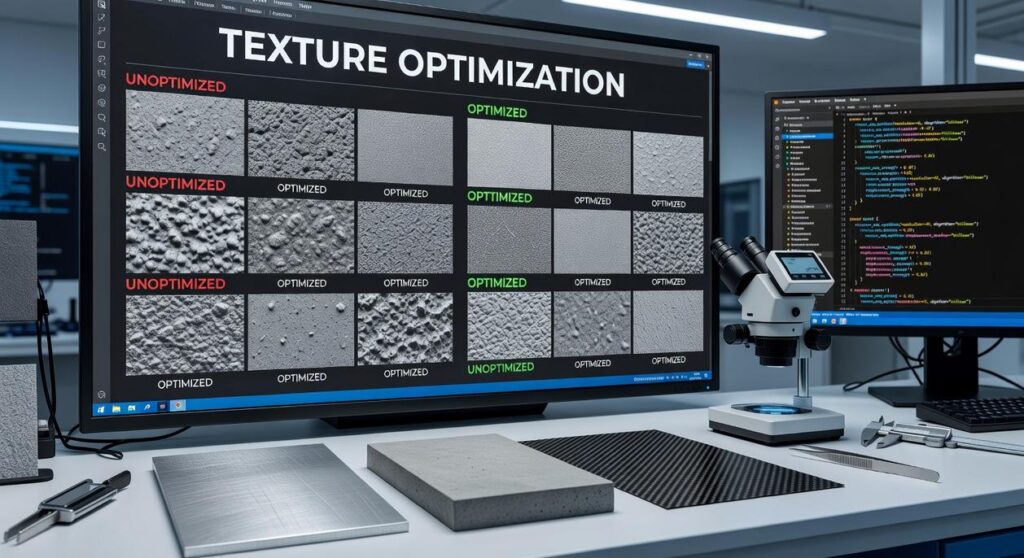
Here’s where it gets interesting: texture streaming optimization isn’t just a buzzword. Blend it with compression to keep RAM use snappy while serving up visual richness.
Finally, balance quality and performance with perceptual bitrate targeting. It’s like teaching your game to compress smarter, not harder—maintaining fidelity in key areas, and letting the less-important stuff fade gracefully.
Pro tip: Run A/B tests on visual assets after compression—you might be surprised how much fidelity you don’t need.
Tracking and Debugging Streaming Performance
Let’s face it—nothing breaks immersion like a game stuttering mid-chase because textures are popping in late (yes, even when the story’s amazing). To tackle that, tracking and debugging texture streaming is non-negotiable.
Start by using profiling tools embedded in major engines. Unreal Insights gives you detailed traces of streaming delays and memory allocation, while the Unity Profiler helps pinpoint when and where texture loads happen. Consider them your backstage pass to the game’s under-the-hood performance.
Next, look at performance flags. These might include load stalls (when the game hangs waiting for assets), cache misses (data pulled from slower memory), or overdraw—when multiple layers of visuals get rendered unnecessarily. (Tip: Overdraw isn’t always obvious, but your GPU definitely knows.)
You’ll also want to rely on visual debug overlays. Heatmaps and LOD (Level of Detail) visualizers let you track what assets are loading in real time, helping you spot hiccups before your players do.
Lastly, don’t just debug ideal conditions. Simulate fast camera pans, abrupt level changes, or constrained memory states. These stress tests reveal cracks in your streaming pipeline early.
Pro tip: Streamlining how and when textures load is the core of texture streaming optimization—don’t wait until post-launch to get it right.
Case Study: Streamlining Assets for Open-World Performance
Big open-world maps look amazing—until your mobile hardware starts choking on them (you’ve seen the frame drops, we all have).
In this case study, the team tackled performance issues on mid-tier mobile devices by combining texture atlases (think of it as turning multiple textures into a single, efficient cheat sheet), prioritizing high-traffic urban center assets, and implementing pre-caching zones to reduce load times during player movement.
The result? A 25% reduction in texture memory usage and 30% fewer dropped frames across major traversal paths.
Here’s why that matters: On mobile, smooth traversal isn’t just nice—it’s essential. Frame drops during gameplay are immersion killers (nothing says “epic quest” like lag during a boss chase).
PRO TIP: Use texture streaming optimization in tandem with scene prioritization. It lets you load only what’s needed when it’s needed—no baggage, no bloat.
Want high-fidelity visuals and real-time performance? Don’t just shrink assets; streamline them with intent.
Streaming Smarter for Better Performance
When performance drops and memory spikes, the culprit is often hiding in plain sight: texture overload.
You came here looking for a way to deliver smoother gameplay and better efficiency across devices—and now you know the key. Texture streaming optimization isn’t just a tweak. It’s the foundation for sustaining high framerates, conserving memory, and protecting battery life, especially on mobile and lower-spec platforms.
Done right, texture streaming optimization combines compression, async loading, LOD control, and smarter asset management into a seamless pipeline that scales with your project.
Your next step: Audit your current asset workflows. Start now. Preparing your engine for 4K textures and real-time rendering doesn’t have to mean performance loss.
Need help getting there faster? We’ve helped thousands of developers streamline their pipelines. Call now—we’ll show you why we’re the #1 rated source for real-time performance tuning.