Ever lost a key game moment because your aim was off or an input didn’t register? I know the feeling all too well. It’s maddening.
A default or poorly tuned controller setup could be the culprit, holding back your true gaming potential. I’ve spent countless hours tweaking settings across dozens of games and controllers to find what truly works (trust me, I’ve been there). You don’t have to go through that trial and error alone.
In this guide, you’ll get game controller setup tips that are precise and actionable. We’ll break down everything from universal basics to genre-specific secrets. This isn’t just theory; it’s a practical roadmap to build muscle memory that wins.
You’re in the right place for dialing in your controller for maximum precision and comfort. Let’s get you winning.
The Foundation: Universal Settings Every Gamer Must Master
Before you dive into the chaos of specific games, let’s talk about core settings. These are the unsung heroes of your gaming setup. Get them wrong, and you’re toast.
First up: Sensitivity/Look Speed. It’s the balance between whipping around like a caffeinated squirrel and aiming with the precision of a sharpshooter. Start low.
Trust me. Increase gradually. You’ll thank yourself when you nail that headshot.
Who needs speed when you can’t hit the target, right?
Next, let’s break down the dreaded “Deadzone”. Imagine it as the “do-nothing” area of your joystick. Sounds like a lazy Sunday, but too high a deadzone, and your character moves like molasses in January.
Too low, and you risk stick drift, where your character waltzes off without you. Find that sweet spot. Push it to the lowest point before drift takes over.
Now, button mapping. That default layout? It’s not sacred.
Remap those key actions. Jump, crouch, reload (to) buttons that keep your thumbs on the aim stick. It’s game-changing.
Imagine jumping without losing your aim. Magic, right?
Lastly, vibration or haptic feedback. Some love it, others hate it. It’s personal.
But here’s a pro tip: many top players turn it off. Less distraction, more focus. If you’re serious about precision, check out pro controller hacks precision gaming.
There you go. A few game controller setup tips that can make all the difference. It’s not rocket science, but it sure feels like it when you’re in the heat of battle.
Tailoring Your Setup: Genre-Specific Configuration Deep Dive
Let’s talk about the so-called “perfect” setup. Spoiler: it changes depending on the game. You wouldn’t wear flip-flops to a snowball fight, right?
Same goes for game controller setup tips. The right configuration can make or break your game.
For First-Person Shooters (FPS), it’s all about aim. Not all aim is created equal, though. There’s “tracking” aim (following a moving target) and “flick” aim (snapping to a target).
For tracking-heavy games like Apex Legends, I recommend lower sensitivity. It gives you more control to follow those pesky moving targets. But if you’re diving into a flick-heavy game like Call of Duty, bump it up a bit.
Trust me, you’ll want that quick response. Also, don’t overlook the lower ADS Sensitivity Multiplier. It helps keep your aim steady while aiming down sights.
Now, if you’re into racing games, control and smoothness are your friends. Steering sensitivity is key here. You want a balance.
Too responsive, and you’ll find yourself oversteering into walls. Too sluggish, and you’ll miss those tight corners. Adjust trigger deadzones for throttle and brake control.
This adds nuance and helps avoid jerky movements. It’s like having the perfect tires for every race.
Fighting games? Precision is king. The classic debate: D-pad or analog stick.
Each has its pros and cons. Personally, I prefer the D-pad for those fast inputs and special moves. Analog sticks can feel a bit floaty.
Wired connections are a must to reduce input lag. Nothing worse than your combo coming in a frame too late.
For Action-RPGs and adventure games, comfort is key. Long play sessions demand it. Map controls to suit your style.
And prioritize camera control settings. A smooth camera can save you from frustration during exploration. (Ever been stuck trying to see around a corner? It’s infuriating.)
So, does this mean constant tweaking? Absolutely. But isn’t that part of the fun?
Tailoring your setup to fit each game enhances your experience but gives you a competitive edge. Now, go out there and give these tips a try. You’ll notice the difference immediately.
Going Pro: Advanced Tweaks for Gaming Mastery
Ready to up your game? You’ve already tweaked in-game settings to death, and now it’s time to step it up with some advanced tools. Let’s dive into the world of third-party software that takes your gaming control to the next level.

Ever heard of the “Aim Response Curve”? Picture a simple graph. Linear means raw input; your movements are exactly mirrored.
Exponential? It’s all about those tiny, precise adjustments. And the S-Curve?
Now, let’s talk third-party tools. Ever struggled with poor native controller support? Steam Input, DS4Windows, and ReWASD are your new best friends.
It’s a mix, smooth but responsive, great for players who need both finesse and speed. Choosing the right curve is like picking the right weapon; it depends on your play style.
They let you create custom profiles for any game. Seriously, even the ones that barely support controllers. How cool is that?
Here’s a pro tip: Use Steam Input’s “Action Layers.” It’s like having a magic wand that doubles your button functions. You can also set up macros (think automating craft recipes in non-competitive games). It’s almost like cheating, but not really.
And then there’s “Aim Assist.” Love it or hate it, it’s here to stay. Understand what it does (it’s) there to help, not to mess up your aim. Know your game’s settings, tweak them so they work with the assist, not against it.
For more customizing controller better gameplay, consider all these game controller setup tips. Trust me, these tweaks can make a world of difference. Ready to conquer your next match?
Game on!
Does Your Hardware Hold You Back?
Got a controller in your hands? Great. But, is it really doing everything you need?
While settings are king, hardware features can open up a world of configuration possibilities. to some game controller setup tips.
It’s like having an extra set of hands. Well, almost.
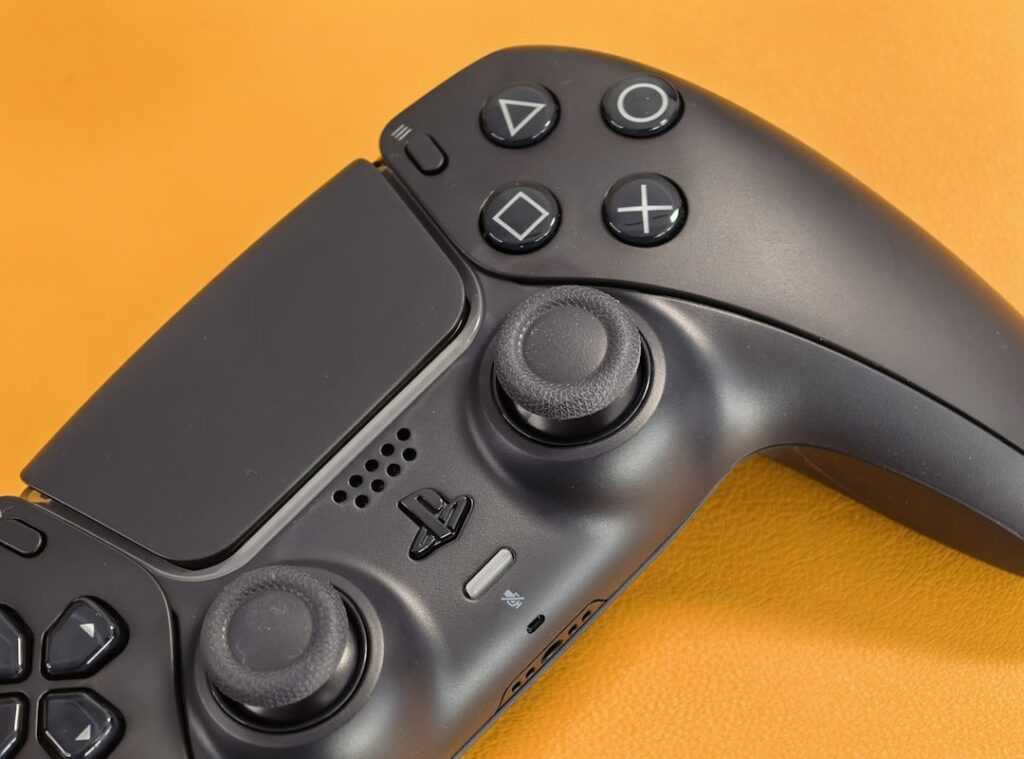
Ever tried a “Pro” controller with paddles? Total game-changer. Back paddles let you map actions like jump or reload directly to fingers without leaving the sticks.
Then there’s trigger stops. They give you a shorter, faster trigger pull, super useful in shooters. It’s the difference between getting the shot off first or staring at a respawn screen.
And don’t forget interchangeable thumbsticks. Different heights and shapes (domed) vs. concave. Can boost comfort and precision.
It’s a simple upgrade but makes a world of difference.
So, does your hardware hold you back? Time to rethink what those bits of plastic in your hands can really do.
Open up Your Gaming Edge
Finally, you have a clear path to escape the traps of default settings. Why let clumsy controls sabotage your game? It’s time to take charge.
A personalized setup (built on solid principles) is your ticket to smoother, more precise gameplay. Trust me, you’ll wonder why you didn’t do this sooner.
Ready to dive into these game controller setup tips? Start simple. Tweak just one setting tonight.
Try adjusting your deadzone for 15 minutes. Feel the instant improvement. This isn’t just advice.
It’s the first step to gaming bliss. So why wait? Transform your playstyle now.
Get started. See the change.
 Colette Hobbstark has opinions about multiplayer strategy insights. Informed ones, backed by real experience — but opinions nonetheless, and they doesn't try to disguise them as neutral observation. They thinks a lot of what gets written about Multiplayer Strategy Insights, Game Engine Optimization Tactics, Uncategorized is either too cautious to be useful or too confident to be credible, and they's work tends to sit deliberately in the space between those two failure modes.
Reading Colette's pieces, you get the sense of someone who has thought about this stuff seriously and arrived at actual conclusions — not just collected a range of perspectives and declined to pick one. That can be uncomfortable when they lands on something you disagree with. It's also why the writing is worth engaging with. Colette isn't interested in telling people what they want to hear. They is interested in telling them what they actually thinks, with enough reasoning behind it that you can push back if you want to. That kind of intellectual honesty is rarer than it should be.
What Colette is best at is the moment when a familiar topic reveals something unexpected — when the conventional wisdom turns out to be slightly off, or when a small shift in framing changes everything. They finds those moments consistently, which is why they's work tends to generate real discussion rather than just passive agreement.
Colette Hobbstark has opinions about multiplayer strategy insights. Informed ones, backed by real experience — but opinions nonetheless, and they doesn't try to disguise them as neutral observation. They thinks a lot of what gets written about Multiplayer Strategy Insights, Game Engine Optimization Tactics, Uncategorized is either too cautious to be useful or too confident to be credible, and they's work tends to sit deliberately in the space between those two failure modes.
Reading Colette's pieces, you get the sense of someone who has thought about this stuff seriously and arrived at actual conclusions — not just collected a range of perspectives and declined to pick one. That can be uncomfortable when they lands on something you disagree with. It's also why the writing is worth engaging with. Colette isn't interested in telling people what they want to hear. They is interested in telling them what they actually thinks, with enough reasoning behind it that you can push back if you want to. That kind of intellectual honesty is rarer than it should be.
What Colette is best at is the moment when a familiar topic reveals something unexpected — when the conventional wisdom turns out to be slightly off, or when a small shift in framing changes everything. They finds those moments consistently, which is why they's work tends to generate real discussion rather than just passive agreement.